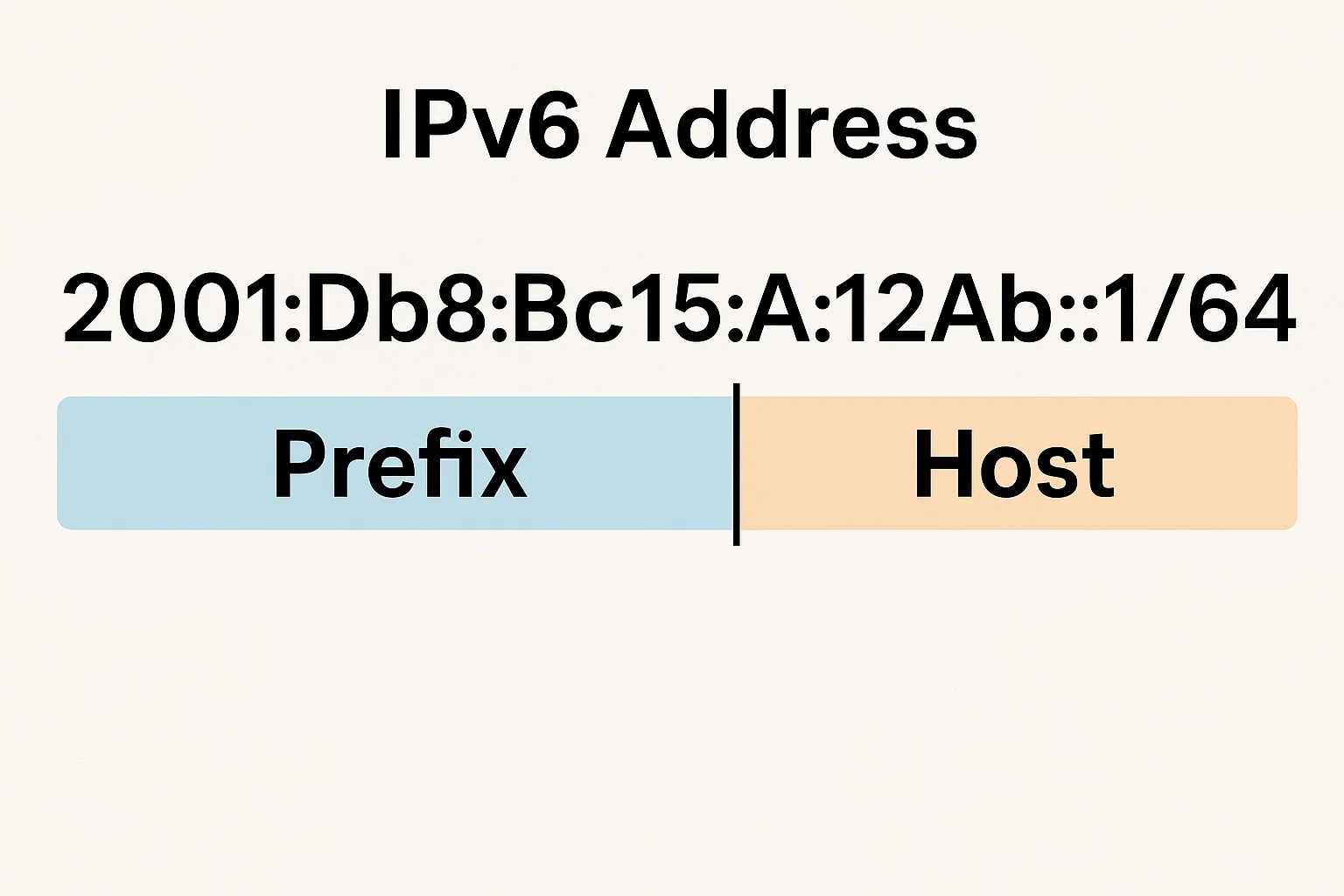
What does that /64 mean? What’s the prefix? And how do you tell the network part from the host part?
Let’s break it down in plain English.
What an IPv6 Prefix Actually Means
Think of an IPv6 address as a long street address except digital.
It tells devices where they live in a massive global neighbourhood of connected networks.
An IPv6 address has 128 bits in total. These bits are split into two main parts:
| Section | Purpose |
|---|---|
| Network Prefix | Identifies the network or subnet (like the street name) |
| Interface ID / Host Part | Identifies the device within that network (like a house number) |
When you see /64 at the end of an IPv6 address, it means the first 64 bits belong to the network prefix, and the remaining 64 bits belong to the host identifier.
Let’s Decode This Address
Here’s the full address we’re working with:
2001:DB8:BC15:A:12AB::1/64
To understand it, start by writing it out without shortcuts.
Step 1 – Expand the address
IPv6 allows you to shorten groups of zeros using ::, but the expanded form of this address is:
2001:0DB8:BC15:000A:12AB:0000:0000:0001
That’s 8 groups, each 16 bits long = 128 bits total.
Step 2 – Understand the “/64” part
/64 tells us that the first 64 bits (the first 4 groups) represent the network prefix.
So, the prefix is:
👉 2001:0DB8:BC15:000A::/64
That means everything from 2001:0DB8:BC15:000A defines the network segment, while the rest (12AB:0000:0000:0001) identifies the specific host inside that network.
Why /64 Is So Common
You’ll notice most IPv6 addresses end in /64.
That’s not a coincidence it’s the standard subnet size for most networks.
A /64 prefix gives you a huge number of available addresses inside the same subnet:
2⁶⁴ = 18,446,744,073,709,551,616 possible hosts.
Yeah, that’s 18 quintillion.
Enough for every grain of sand in a beach… and then some.
So when your home router or ISP gives you a /64, they’re not being stingy you’ll never run out of IPs.
How to Find the Prefix of Any IPv6 Address
Here’s a quick method you can use:
- Look for the slash. The number after it tells you how many bits belong to the network prefix.
- Count the groups. Each group (separated by colons) = 16 bits.
- Identify the prefix groups.
/64→ first 4 groups (16×4 = 64 bits)/48→ first 3 groups/32→ first 2 groups
- Replace the remaining groups with zeros to represent the whole subnet.
Example:
2001:DB8:BC15:A:12AB::1/64 → prefix = 2001:DB8:BC15:A::/64
This tells you the subnet covers all addresses where the first 64 bits match 2001:DB8:BC15:A.
What the “2001” Part Represents
In IPv6, the 2000::/3 block is reserved for Global Unicast Addresses, meaning they’re routable on the public Internet.
So:
2001:at the start means it’s a global IPv6 address.- It’s not a link-local or private address like
FE80::orFC00::. - It’s used for real Internet communication, not internal-only networking.
In simple terms, 2001: tells us this is a public address, owned by a larger organisation or ISP.
Understanding Subnet IDs in IPv6
With IPv6, the concept of “subnets” still exists but it’s more structured.
Let’s look again:
2001:DB8:BC15:A:12AB::1/64
Here’s the split:
- Global Routing Prefix:
2001:DB8:BC15 - Subnet ID:
000A - Interface ID (Host):
12AB:0000:0000:0001
That middle section, A, is what defines the specific subnet under that global block.
So the Subnet ID is 000A (or simply A in shorthand).
Common IPv6 Prefix Lengths and Their Uses
| Prefix Length | Network Example | Purpose |
|---|---|---|
/32 | 2001:0DB8::/32 | Large ISP allocation |
/48 | 2001:0DB8:BC15::/48 | Customer site allocation |
/56 | 2001:0DB8:BC15:A0::/56 | Home or small business subnet |
/64 | 2001:0DB8:BC15:A::/64 | Typical LAN or single subnet |
/128 | 2001:0DB8:BC15:A::1/128 | One specific device address |
So, /64 is where end devices (hosts) usually live, while /48 or /56 are given to network administrators to divide further.
How This Relates to Real Networks
Let’s say your company receives this allocation:
2001:DB8:BC15::/48
From that, you can create 65,536 individual /64 subnets:
2001:DB8:BC15:0000::/642001:DB8:BC15:0001::/64- …
2001:DB8:BC15:FFFF::/64
Each subnet can host over 18 quintillion devices.
No more fighting over IP addresses.
Visualising the Split
Imagine this IPv6 address as a timeline:
So in 2001:DB8:BC15:A:12AB::1/64:
- The prefix = 2001:DB8:BC15:A::/64
- The host = 12AB::1
If you wanted to represent the whole network, you’d write:
2001:DB8:BC15:A::/64
If you wanted to show just the device, you’d use the full address.
Why Prefixes Matter in Networking
The prefix defines routing boundaries.
Routers look at the prefix to decide where to send packets.
For example:
- Devices with prefix
2001:DB8:BC15:A::/64can talk to each other directly inside that LAN. - Traffic to another prefix, say
2001:DB8:BC15:B::/64, must go through a router.
Without clear prefixes, routing tables become messy and inefficient.
That’s why understanding prefixes is vital for IPv6 network planning.
Quick Recap
Here’s the full breakdown of our address once again:
| Section | Value | Description |
|---|---|---|
| Full Address | 2001:DB8:BC15:A:12AB::1/64 | IPv6 example |
| Expanded | 2001:0DB8:BC15:000A:12AB:0000:0000:0001 | Full form |
| Prefix | 2001:DB8:BC15:A::/64 | Network identifier |
| Subnet ID | 000A | Specific subnet within /48 |
| Host ID | 12AB:0000:0000:0001 | Unique host within the subnet |
| Type | Global Unicast | Publicly routable IPv6 address |
IPv6 Prefix vs IPv4 Subnet
IPv4 users might remember prefixes as subnet masks like 255.255.255.0.
In IPv6, prefixes replace those dotted decimals with a clean, slash-based system.
- IPv4:
192.168.1.10/24→ 24 bits for network - IPv6:
2001:DB8:BC15:A::1/64→ 64 bits for network
No more mental math with binary masks just remember, /64 is your friend.
Best Practices for IPv6 Prefixing
- Stick to /64 subnets for hosts. Even if it feels wasteful, it’s standard.
- Use /48 allocations for sites makes future expansion easier.
- Avoid /127 for end-user links unless you’re managing point-to-point connections.
- Label your prefixes clearly in network diagrams; it saves headaches later.
- Always document which prefix is assigned where IPv6 space is big, but good organisation still matters.
Real-World Example
A typical ISP setup might look like this:
- ISP Block: 2001:0DB8::/32
- Customer Site: 2001:0DB8:BC15::/48
- Subnet 1 (Office LAN): 2001:0DB8:BC15:A::/64
- Device: 2001:0DB8:BC15:A:12AB::1/64
So when you read 2001:DB8:BC15:A:12AB::1/64, you’re seeing:
- Global IPv6 address space (
2001) - ISP and site allocation (
DB8:BC15) - Subnet identifier (
A) - Device on that subnet (
12AB::1)
All wrapped up neatly in one long line.
Final Thoughts
The prefix for 2001:DB8:BC15:A:12AB::1/64 is:
✅ 2001:DB8:BC15:A::/64
It’s the network portion, identifying where that device belongs.
Everything beyond those 64 bits defines the specific host.
So next time you see one of these long IPv6 strings, don’t panic.
Just find the slash, count your groups, and you’ll know exactly what’s prefix and what’s host.

Alex WebPro, your guide to web mastery. Expert tips on WordPress, SEO, monetization, and the best in design trends and themes.