What Is Am Apps?
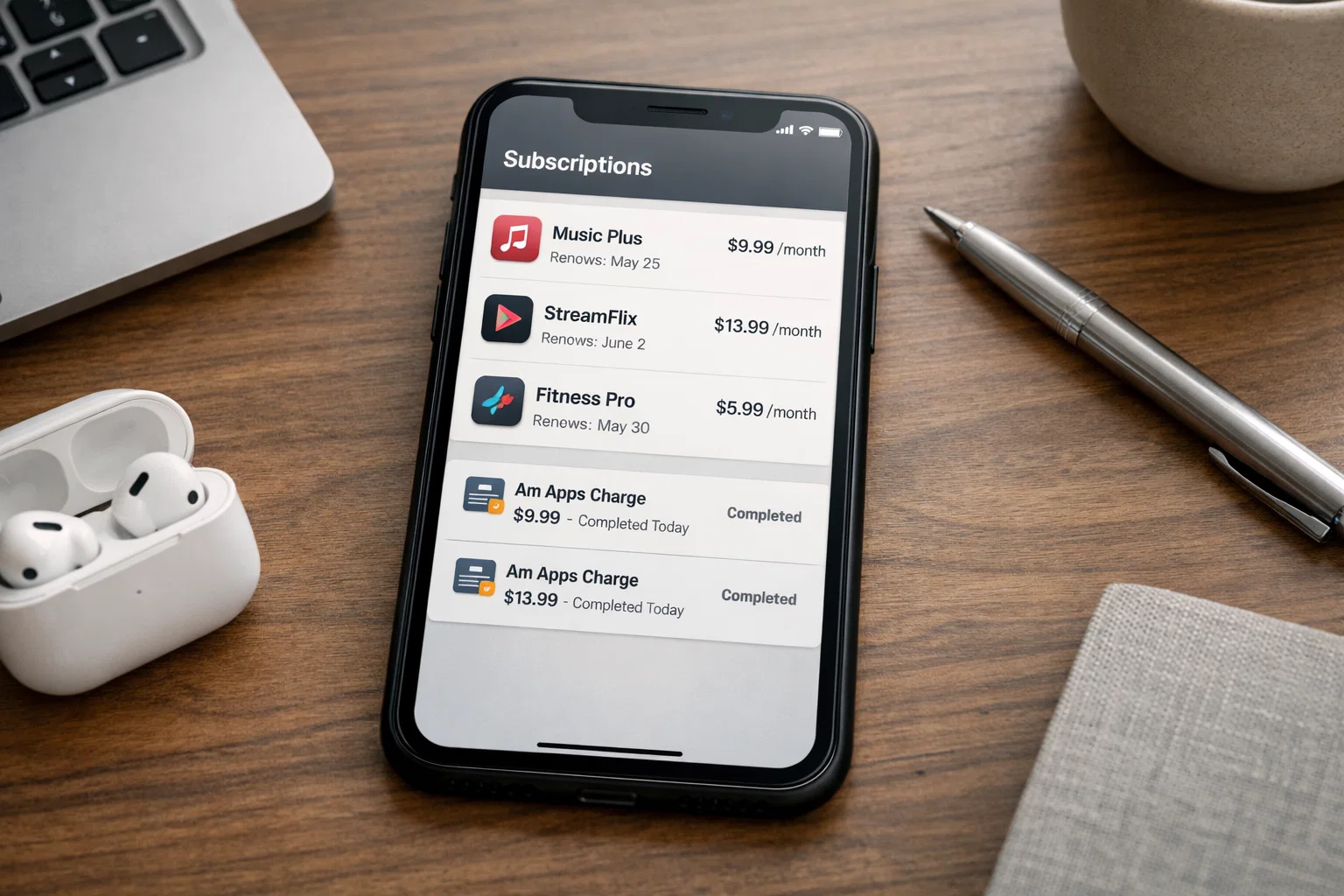
Am Apps usually appears on your bank statement, PayPal activity, or phone bill when an app subscription or in-app purchase is processed through a third-party developer or billing partner. It’s not a single app you downloaded on purpose. In most cases, it’s a payment label tied to a mobile app, game, or trial you agreed to earlier, often without realising it.
That’s the short answer.
Now let me explain what actually happens, why people get confused, and how to stop the charges for good.
| What people see | What it usually means |
|---|---|
| Am Apps charge on bank or PayPal | Payment for an app or in-app subscription |
| AM Apps Ltd | A billing name used by app publishers |
| Small recurring amounts | Monthly or weekly subscriptions |
| No visible app icon | Subscription started inside another app |
| Charges after deletion | Subscription still active |
What Am Apps actually is
Am Apps is not a virus, not spyware, and not a secret app spying on your phone. It’s a billing descriptor. That means it’s the name used by a company that processes payments for mobile apps, especially games, utilities, or ad-based apps.
Here’s the key sentence that matters:
If you see Am Apps on your statement, you paid for an app feature, subscription, or trial that didn’t get cancelled.
From real user cases, this usually comes from:
- Free trials that quietly turned into paid plans
- In-app upgrades inside games or tools
- Subscription prompts tapped too quickly
- Kids or family members using the same device
Nothing installs itself without permission. The problem is that permission is often given in one tap.
What AM Apps Limited is used for
AM Apps Limited works as a publisher or payment handler for multiple mobile apps. Instead of each app showing its own company name on your statement, the charge shows up under this shared billing name.
Why this matters:
- You won’t see the exact app name on your bank statement
- People think it’s a fake or hidden app
- The real source is inside your app store account
This setup is common in mobile ecosystems. It’s confusing, but it’s not illegal or unusual.
Why people get charged without realising
This is where most frustration comes from.
The pattern looks like this:
- You install a free app or game
- It offers a trial, bonus, or premium feature
- You confirm with Face ID, fingerprint, or one tap
- Trial ends
- Billing starts automatically
A calm, factual truth:
Most Am Apps charges come from trials people forgot to cancel, not from hidden apps.
From experience, many users don’t even remember the app because:
- It was deleted later
- It was a background utility
- It was a child’s game
- It was used once and forgotten
How Am Apps subscriptions start on iPhone and Android
On iPhone
Apple links all payments to your Apple ID, not the app icon.
Common triggers:
- Face ID confirmation without reading
- Trial reminders missed
- Family Sharing purchases
If you approved it once, Apple considers it valid until cancelled.
On Android
Google Play works similarly:
- Subscriptions attach to your Google account
- Deleting the app does nothing
- Charges continue until cancelled in Play Store
This is why people swear they “never subscribed” while the system shows a valid subscription.
How to check what app is taking your money
This is the most important fix.
On iPhone
- Open Settings
- Tap your Apple ID at the top
- Tap Subscriptions
- Review all active and expired subscriptions
Look for:
- Unknown app names
- Prices matching the Am Apps charge
- Weekly or monthly renewals
On Android
- Open Google Play Store
- Tap profile icon
- Tap Payments & subscriptions
- Open Subscriptions
Real-world tip:
- Check Expired subscriptions too. They often explain past charges.
How to cancel AM Apps Ltd on iPhone
You don’t cancel “Am Apps” directly. You cancel the app linked to it.
Steps:
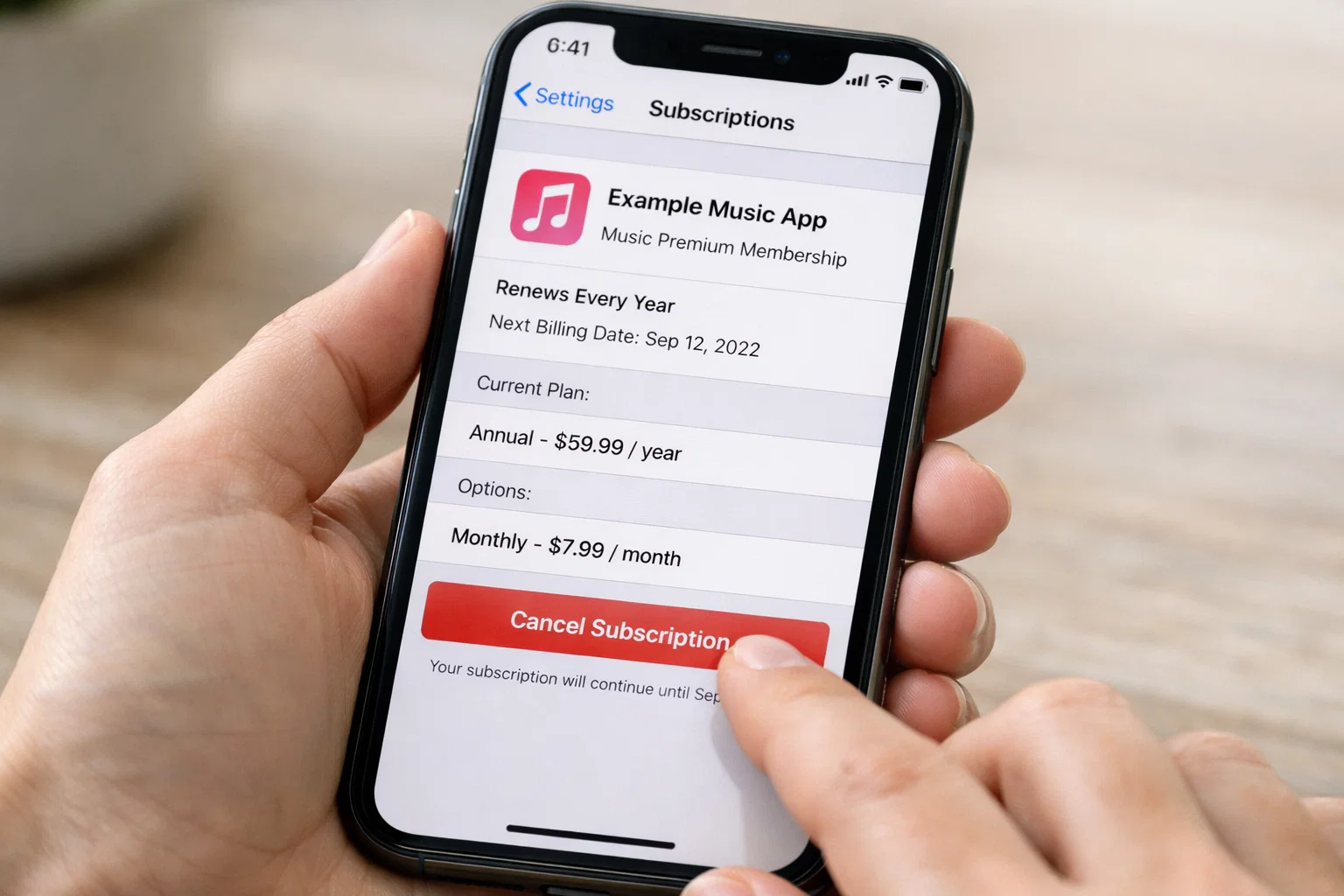
- Go to Settings → Apple ID → Subscriptions
- Tap the suspicious subscription
- Tap Cancel Subscription
- Confirm
Once cancelled, Apple shows the end date. Charges should stop after that date.
Important clarity:
- Cancelling removes future charges, not past ones
- Refunds depend on Apple’s review decision
How to stop unwanted app subscriptions permanently
Here’s what actually works long term:
- Review subscriptions once a month
- Disable trial auto-renew mentally before starting
- Don’t confirm payment screens without reading
- Lock app purchases behind Face ID or password
- Check children’s devices and Family Sharing
One sentence worth remembering:
If an app asks for payment details, assume it will charge later unless you cancel.
Why you might still be charged after cancelling
This causes panic, but the reason is usually simple.
Common causes:
- Billing cycle already started
- Charge posted before cancellation date
- Time zone delay
- Multiple subscriptions from similar apps
If charges continue after the stated end date, then you should contact:
- Apple Support for iPhone
- Google Play Support for Android
Most legitimate cases get resolved once the correct subscription is identified.
Are hidden apps real or just hidden payments?
Hidden apps exist, but they are rare and usually intentional.
What’s more common:
- Apps removed from the home screen
- App Library hiding unused apps
- Subscriptions active without visible icons
Clear distinction:
A hidden app is not the same thing as a hidden subscription.
You can have zero suspicious apps installed and still have active subscriptions.
Can you delete or hide apps linked to charges?
Yes, but deletion alone is not enough.
- Deleting the app removes access
- Subscription remains active
- Billing continues
Correct order:
- Cancel subscription
- Confirm cancellation
- Then delete the app
Skipping step one is the mistake that keeps charges alive.
History of AmoApps Limited
AmoApps Limited appears as a backend company associated with app publishing and monetisation. Over time, multiple apps have used this billing identity, which is why the name shows up across different countries and platforms.
What matters for users:
- It’s not a scam brand
- It doesn’t directly contact users
- It only appears because a payment occurred
From user reports, confusion increased as app monetisation models shifted toward subscriptions instead of one-time purchases.
Can you earn $100 a day from ads in mobile apps?
Short answer: not easily, and not for most users.
Ad-based earnings depend on:
- Massive daily traffic
- Games or apps with high engagement
- Regions with high ad payouts
Reality check sentence:
If an app promises easy daily income from ads, it’s usually exaggerating potential results.
For most users, ad rewards cover in-app perks, not real income.
Common mistakes that keep charges active
These come up again and again:
- Deleting apps instead of cancelling subscriptions
- Ignoring subscription lists
- Assuming small charges aren’t worth checking
- Letting trials run “just once”
- Not checking PayPal or card statements monthly
One small unchecked subscription can drain money quietly for months.
Who this is not for
This guide won’t help if:
- The charge is from a stolen card
- The payment didn’t come from your Apple or Google account
- The charge is from a web service, not a mobile app
In those cases, you need bank or PayPal dispute support.
Final takeaway
Am Apps is not a mystery app or malware. It’s a billing name tied to real app subscriptions that usually start with trials or in-app purchases. Once you know where to look, the problem becomes manageable.
My practical recommendation:
Check your subscription list right now. Cancel anything you don’t actively use.
You’re not careless. The system is designed to be easy to start and easy to forget. Once you understand that, you’re back in control.
FAQs
What is Am Apps?
Am Apps is a billing name that appears when you pay for an app subscription, in-app purchase, or trial through your phone’s app store. It’s not a standalone app you install.
What is AM Apps Limited used for?
AM Apps Limited is used by app developers as a payment or publishing label. Charges under this name usually come from mobile apps, games, or premium features.
How do I cancel AM Apps Ltd on iPhone?
Go to Settings → Apple ID → Subscriptions, find the subscription you don’t recognise, and cancel it. You don’t cancel “Am Apps” directly, only the app linked to it.
What apps am I paying for?
Check your Subscriptions section in Apple ID (iPhone) or Google Play (Android). This shows every active and expired subscription connected to your account.
What are hidden apps on your phone?
Hidden apps are apps not visible on the home screen, often stored in folders or app libraries. Most Am Apps charges come from subscriptions, not hidden apps.
How can I detect hidden apps on mobile?
Use the app library or search function on your phone to list all installed apps. On Android, check Settings → Apps for a full list.
Can I delete hidden apps?
Yes, but deleting an app does not cancel its subscription. Always cancel the subscription first, then delete the app.
How do I know which app is taking money?
Match the charge amount and billing date with subscriptions listed in your app store account. That’s the fastest way to identify the app.
How do I stop unwanted subscriptions?
Cancel them directly from your Apple ID or Google Play account. Also review subscriptions monthly to avoid forgotten trials.
Why am I still charged after cancelling?
Usually because the billing cycle already started or the cancellation applies at the end of the current period. Charges should stop after the shown end date.
Is it possible to earn $100 a day from ads in mobile games?
For most users, no. Ad earnings usually depend on very high traffic and engagement. Apps often exaggerate income potential.
How to hide an app on iPhone or Android?
You can remove apps from the home screen or place them in folders, but hiding an app does not stop charges or subscriptions.
How much does PayPal charge for a $100 transaction?
PayPal fees vary by country and transaction type, but typically include a percentage fee plus a fixed amount. Check PayPal’s fee breakdown in your account.
What is the history of AmoApps Limited?
AmoApps Limited is linked to app publishing and monetisation services. It appears on statements because it processes or represents payments for multiple apps.
What should I do if I don’t recognise the charge at all?
First check your app store subscriptions. If nothing matches and you suspect fraud, contact your bank or PayPal support immediately.
Chris Digital, tech enthusiast and digital marketer, shares insights on WordPress, SEO, Adsense, online earning, and the latest in graphics and themes.