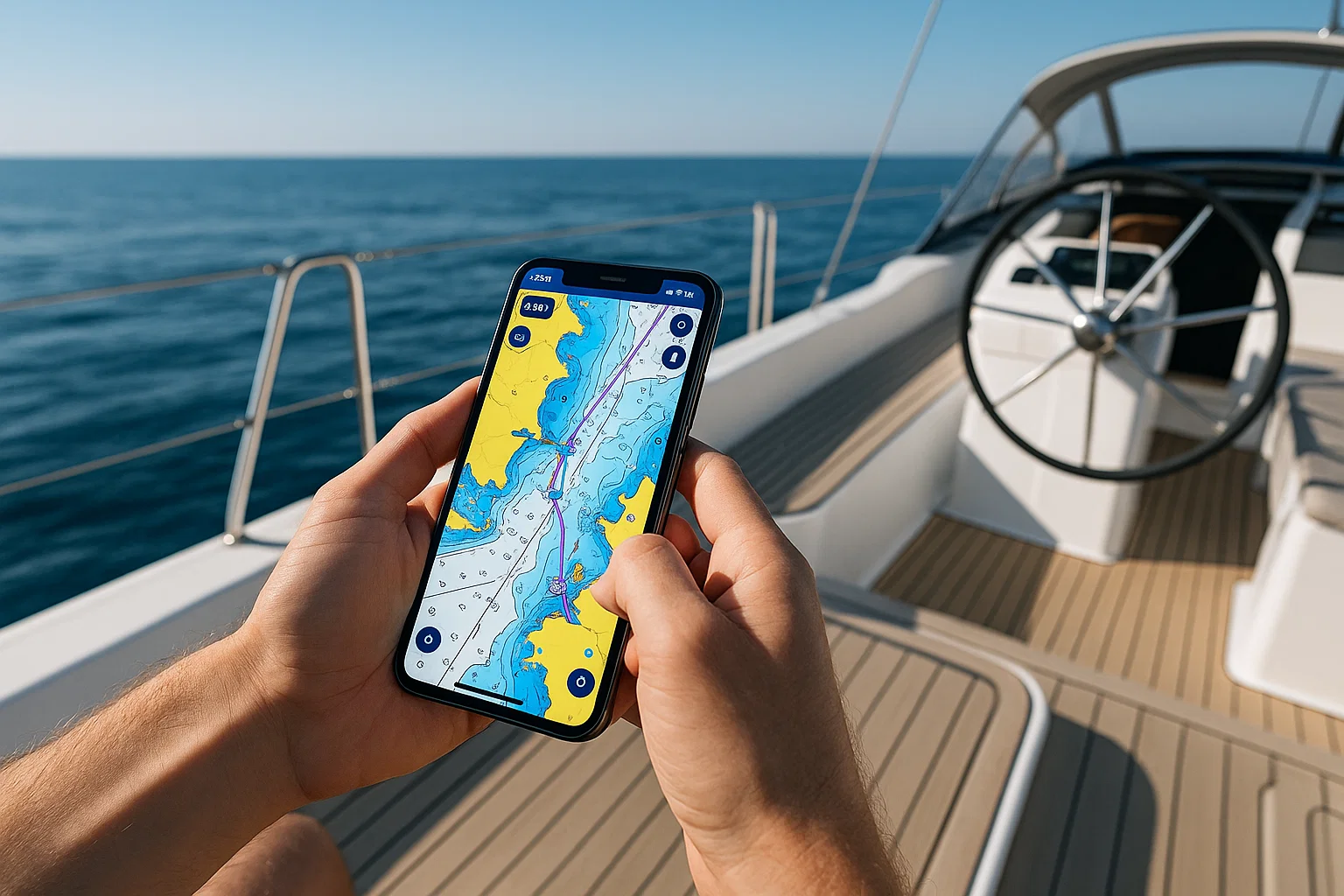
 Boating today isn’t just about a compass and calm nerves. It’s about data, charts, and technology that keeps you safe no matter where the tide takes you. That’s where the Navionics App steps in a tool that’s turned smartphones and tablets into full marine chart plotters.
If you’ve ever wondered whether Navionics is worth paying for, how it compares with Garmin Boating, or whether a free alternative can do the job, this guide clears the water.
Let’s dive in.
What Is the Navionics App?
At its core, the Navionics App is a digital boating companion that offers nautical charts, GPS navigation, depth contours, route planning, and offline maps.
It’s owned by Garmin, a leader in navigation tech, but Navionics still keeps its own identity with apps available for iOS and Android.
Once installed, you can:
- View marine and lake charts in real time.
- Download offline maps to sail without network coverage.
- Track your route, speed, and distance.
- Plan trips with detailed weather and tidal data.
Think of it as Google Maps for the sea but with layers of professional-grade marine data.
Key Features That Set Navionics Apart
Here’s what makes boaters trust Navionics more than any free app on the market.
1. Detailed Marine & Lake Charts
Navionics sources data from hydrographic offices, sonar logs, and its own surveys. You get high-definition contour maps showing depth variations and underwater structures invaluable for anglers and divers.
2. Offline Navigation
You can download full regions before leaving port. Once saved, all maps, markers, and routes remain accessible without mobile signal perfect for remote waters.
3. Auto-Routing
Just enter your start and end points, and the app calculates the safest and most efficient route. It factors in obstacles, shallow waters, and navigation aids.
4. Real-Time Weather Overlays
Tidal information, wind forecasts, and marine weather updates appear directly on your chart.
5. SonarChart™ Live
When connected to a sonar or depth sounder, the app creates real-time contour maps as you move. Each trip improves your private chart.
6. Community Edits
Users can add local updates new buoys, marinas, hazards so maps stay current. It’s a living, crowdsourced navigation ecosystem.
7. Compatibility
Navionics integrates smoothly with Garmin plotters, Raymarine, and Lowrance units, letting you sync routes and waypoints between devices.
Is Navionics a Free App?
Technically, Navionics isn’t free, but you do get a taste before subscribing.
The app offers a free 14-day trial, giving you full access to charts, features, and overlays. After that, you need an annual subscription, which costs roughly:
| Region | Approx. Yearly Cost | Coverage Type |
|---|---|---|
| USA & Canada | $49–$74 USD | Marine + Lakes |
| Europe | €43–€69 | Marine |
| Asia & Africa | Varies | Marine & Inland |
There’s also a Navionics Boating HD version with advanced layers for tablets and large displays.
You can still use the basic map view without renewing, but advanced data like sonar charts and community edits will lock.
Bottom line: Navionics is paid, but its precision and reliability justify the subscription.
Is Garmin Boating the Same as Navionics?
Good question they’re related, but not identical.
Garmin acquired Navionics in 2017. The Garmin Boating app now runs on the same engine as Navionics, offering nearly identical charts and features, but with Garmin branding.
| Comparison | Navionics Boating | Garmin Boating |
|---|---|---|
| Developer | Navionics Inc. (Garmin subsidiary) | Garmin Ltd. |
| Charts | Navionics data | Navionics data |
| Subscription | Yes | Yes |
| Interface | Classic Navionics style | Garmin theme |
| Sync with Plotter | Yes | Yes |
So if you’re using Garmin hardware, the Garmin Boating app might integrate more seamlessly. But for general users, Navionics Boating remains the go-to option same power, friendlier interface.
What’s Better Than Navionics?
While Navionics dominates marine mapping, alternatives do exist each with its quirks.
| App | Pros | Cons |
|---|---|---|
| C-Map App | Strong global coverage; decent free version | Interface feels dated |
| Aqua Map | Great for inland boating; strong offline tools | Limited sea coverage |
| iNavX | Advanced for professionals; supports raster charts | Steeper learning curve |
| Savvy Navvy | Simple, beginner-friendly interface | Subscription needed for full features |
| SeaPilot | AIS and weather routing | Expensive |
For pure accuracy and frequent updates, Navionics still leads the fleet.
But if you’re only doing short inland trips, Aqua Map or C-Map can be decent free companions.
Getting Started: How to Use Navionics App (Step-by-Step)
Let’s walk through setup so you’re confident before leaving shore.
Step 1. Download the App
Find “Boating HD Marine & Lakes” on the App Store or Google Play. Install and open it.
Step 2. Create an Account
You’ll need a free Navionics account for syncing data across devices. Use email or sign in with Apple/Google.
Step 3. Start Your Free Trial
Tap “Start Free Trial.” Choose your region and download chart areas. Make sure Wi-Fi is on during this step charts can be several GB.
Step 4. Explore the Chart
Zoom in/out to reveal bathymetry, marinas, restricted zones, and more. Tap anywhere for coordinates and depth info.
Step 5. Set a Route
Tap “Route” → select starting point → drag to destination. The app will auto-calculate the safest path.
Step 6. Save Offline Charts
Before you lose signal, go to Menu → Download Maps → Select Area → Download. Offline data saves inside the app.
Step 7. Enable GPS
Allow location access so the blue dot shows your live position.
Step 8. Optional: Connect Sonar
If you have a compatible sonar, connect via Wi-Fi or Bluetooth to record real-time depth contours with SonarChart Live.
That’s it your phone is now a capable marine navigator.
Real-World Performance on the Water
The real measure of any app is what happens when the wind picks up.
Users report that Navionics offers smooth tracking, accurate positioning even on low-end phones, and quick chart rendering.
Battery drain is manageable: expect 5–7 hours on a modern phone, more with a power bank.
Offline mode works perfectly once charts are downloaded, you’ll still see your location via GPS without data signal.
If you’re an angler, SonarChart Live becomes addictive. Each trip reveals new depth details that help find better fishing spots next time.
Navionics vs Free Boating Navigation Apps
Free apps like C-Map Lite, Savvy Navvy Free, or NavShip are fine for casual weekend trips, but they fall short in a few areas:
| Feature | Navionics Boating | Free Apps |
|---|---|---|
| HD Contours | ✅ 1 ft intervals | ❌ Low detail |
| Offline Maps | ✅ Full regions | ⚠️ Limited coverage |
| Auto Routing | ✅ | ❌ |
| Real-Time Weather | ✅ | ⚠️ Partial |
| Sonar Integration | ✅ | ❌ |
| Community Updates | ✅ | ⚠️ Few contributors |
Free apps help you save a few dollars. But if you’re sailing long distances or fishing professionally, you’ll quickly hit their limits.
Tips for Using Navionics Like a Pro
- Pre-download Charts Before Every Trip
Cellular coverage can vanish fast at sea. Always download updates while docked. - Enable “Track Recording”
It logs your entire journey handy for retracing routes or sharing with friends. - Adjust Safety Depth
Set a minimum depth alert to avoid grounding in shallow areas. - Layer Control Is Your Friend
Use the layer icon to toggle SonarChart, community edits, or weather overlays based on need. - Use “Dock-to-Dock Auto Routing”
Great for beginners unsure about obstacles or channels. - Keep Subscription Active
Expired subs lose access to updated charts not ideal if coastlines or buoys change. - Try Night Mode
Saves battery and improves visibility in dark conditions.
Navionics App for Different Users
For Recreational Sailors
You get safety and simplicity. Plan weekend sails, follow routes, and check weather without learning complex chart plotters.
For Anglers
SonarChart Live is gold. Combine it with community data to build private fishing maps.
For Cruisers & Long-Distance Boaters
Offline routing, weather overlays, and daily updates make Navionics essential. Add an external GPS receiver for extra precision.
For Kayakers or Small-Craft Users
Even without sonar gear, the app’s depth and hazard data help you explore safely.
Pros and Cons
| Pros | Cons |
|---|---|
| Accurate global charts | Annual fee required |
| Offline functionality | Large file sizes |
| Real-time weather data | Learning curve for beginners |
| Sonar integration | Subscription renewals needed |
| Community edits keep data fresh | Requires strong GPS signal |
Verdict: the benefits far outweigh the drawbacks especially if safety matters.
Pricing & Subscription Details (2025 Update)
Navionics keeps pricing simple: annual plans by region.
| Plan | Price (USD) | Key Features |
|---|---|---|
| Boating USA & Canada | $49.99 | Marine + Lakes, Auto-Routing |
| Boating Europe | €43.99 | Sea + Inland Waterways |
| Boating HD | $74.99 | HD Charts, Tablet Support |
| SonarChart Subscription Add-On | +$15 | Real-time Mapping |
Renewals include daily chart updates for another year. Subscriptions apply per platform (Android/iOS).
How Navionics Handles Data & Privacy
Navionics collects basic usage stats and location data to improve charts. You can disable sharing anytime in Settings.
Charts you create with SonarChart Live remain private unless you choose to upload them.
For sensitive navigation logs, local-only mode keeps everything on your device.
Offline Map Storage & Device Tips
Each region’s charts can take between 1 GB and 3 GB, so keep an SD card handy.
Pro Tip: delete unused regions to free space. Navionics allows re-download anytime during an active subscription.
If your device supports external GPS receivers, connect one for higher accuracy offshore.
Navionics in 2025: What’s New
Recent updates improved:
- Satellite overlay clarity.
- Enhanced community edit tools.
- Faster route calculations.
- Cross-platform sync you can start planning on iPhone and finish on iPad.
Garmin continues to integrate Navionics data across its devices, meaning tighter synchronization between phone, tablet, and plotter.
Why Navionics Remains the Leader
There’s a reason Navionics charts appear on thousands of professional vessels.
- Constant updates keep data current.
- Interface remains intuitive even for beginners.
- Global community ensures accuracy.
- Works online or offline with minimal setup.
For both weekend sailors and serious navigators, it’s hard to beat the combination of precision, safety, and reliability Navionics delivers.
Quick Comparison: Navionics vs Garmin Boating vs C-Map
| Feature | Navionics Boating | Garmin Boating | C-Map |
|---|---|---|---|
| Developer | Navionics (owned by Garmin) | Garmin Ltd. | C-Map by Jeppesen |
| Offline Use | ✅ | ✅ | ✅ Limited |
| Auto Routing | ✅ | ✅ | ⚠️ Partial |
| Sonar Integration | ✅ | ✅ | ❌ |
| Community Edits | ✅ | ✅ | ⚠️ Few |
| Price (USD) | $49–$74 | $49–$74 | $0–$30 |
| Best For | Mixed users | Garmin device owners | Casual boaters |
If you already use Garmin electronics, the Garmin app fits best. Everyone else will be happier sticking with Navionics.
Common Questions About the Navionics App
Is Navionics Available Worldwide?
Yes charts cover oceans, seas, and thousands of lakes across 180 countries.
Can I Share Routes?
You can export routes as .GPX files or sync via Navionics Cloud.
Does It Work Without Internet?
Yes. GPS works offline; just download charts beforehand.
How Often Are Charts Updated?
Daily. Navionics releases more than 2 000 updates every day globally.
Can I Use the Same Subscription on Multiple Devices?
Yes on the same platform (e.g., iPhone + iPad). Cross-platform requires separate plans.
The Verdict
If you’re serious about boating safety, accuracy, and convenience, Navionics Boating is the app to trust.
Its detailed charts, offline navigation, and real-time data keep you confident on any water. The subscription might pinch at first, but one saved grounding or missed hazard easily pays for it.
For hobby sailors, anglers, or cruisers, Navionics bridges the gap between expensive hardware and smartphone simplicity.
Pro Tip:
When writing about navigation tools or apps, use a Paraphrasing Tool like ParaphrasingTool.com
Final Thoughts
Navionics isn’t just another navigation app; it’s your digital first mate. It predicts tides, marks hazards, and helps you find safe harbours when the weather turns.
In a sea of navigation software, it remains the gold standard simple enough for beginners, powerful enough for pros.
If 2025 is your year to explore open waters, Navionics deserves a place on your phone before you untie the ropes.

Alex WebPro, your guide to web mastery. Expert tips on WordPress, SEO, monetization, and the best in design trends and themes.