
What Is Com Sec Android App Camera?
The com sec Android app camera is not a spy app. It’s a system-level security component used by Android or by apps that manage permissions, privacy, or secure camera access. It doesn’t record you, watch you, or send footage anywhere on its own. In most cases, it simply shows up because Android needs a secure way to control who can use the camera and when.
That single sentence matters, because most people land here worried they’re being watched. They aren’t. But confusion around Android system names makes it feel that way.
Let’s slow this down and explain what’s really going on.
Quick facts
| What people think | What’s actually happening |
|---|---|
| It’s a hidden spy app | It’s usually a system or security component |
| It secretly records video | It has no recording function |
| Hackers installed it | It often comes preloaded or is triggered by permissions |
| Camera is always on | Android only allows access with permission |
| It can’t be checked | You can see camera access clearly in settings |
This table exists for one reason: to stop unnecessary fear before it starts.
What does “com sec” even mean on Android?
Android apps and services often use package names, not friendly labels.
com.sec usually points to security-related components, sometimes tied to the device manufacturer or to Android’s internal permission system.
Important detail:
If something starts with com. and you didn’t install it yourself, it’s often not an app you interact with, but a background service Android uses to make other things work safely.
A calm truth worth quoting:
System components don’t spy on users. They enforce rules so apps can’t.
That’s the entire purpose here.
Why people think their Android camera is being watched
This fear usually comes from one of four things:
- A green dot appears near the camera icon
- The camera permission shows “recently used”
- An unfamiliar name appears in system settings
- Social media convinces them phones spy constantly
The green dot is the biggest trigger. Android added it specifically to increase transparency, not hide activity. It lights up when any app uses the camera, even briefly.
That includes:
- Camera app
- QR scanners
- Banking apps using selfie verification
Seeing activity does not mean spying. It means Android is doing exactly what it promised: telling you.
Can someone really see you through your Android camera?
Short answer: not without your permission.
Longer, honest answer:
Remote camera spying is rare, difficult, and almost always requires you to install a malicious app and approve camera access.
Android blocks:
- Silent camera use
- Background recording without permission
- Hidden access without indicators
A grounded, experience-based truth:
In real-world cases, camera abuse almost always comes from apps users installed themselves.
If you didn’t sideload shady apps or grant camera access carelessly, the risk is extremely low.
Can apps access your camera without you knowing?
On modern Android versions, no.
Here’s what Android enforces:
- Visual indicator when camera is active
- Permission history logs
- One-time or “only while using” access options
- Manual revocation at any time
Older Android versions were looser. Current versions are not.
If someone claims apps can secretly record you on updated Android without indicators, they’re exaggerating or outdated.
How to check if your camera is being used right now
This takes under 30 seconds.
- Open Settings
- Go to Privacy & security
- Tap Camera
- Open Recently used
You’ll see:
- Which app accessed the camera
- How recently it happened
This is the single most reliable way to know what’s happening. Not third-party apps. Not online “scanner” tools. This screen.
If you see something unfamiliar, don’t panic. Just tap it and review permissions.
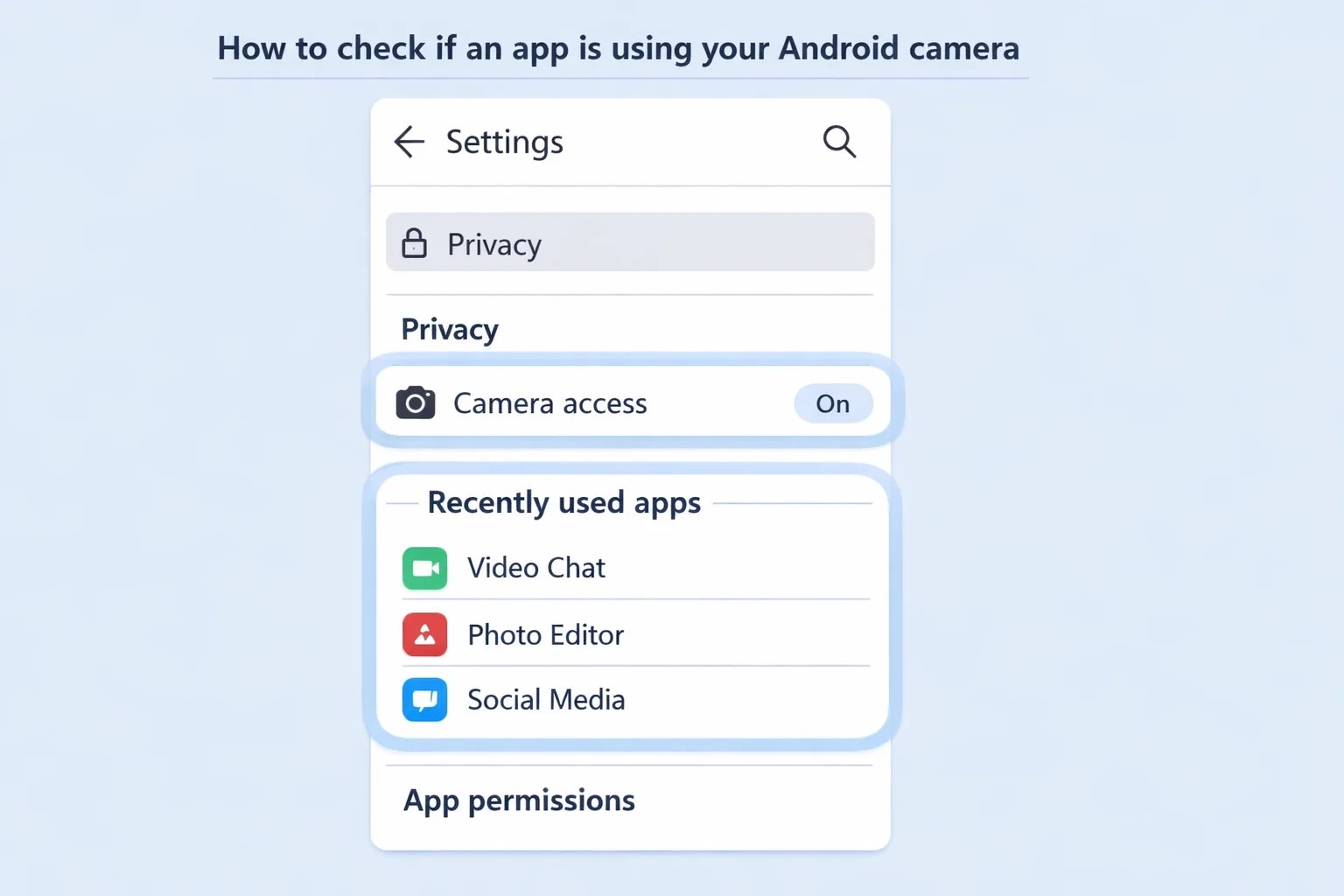
How to know if an app has camera access
Stay in the same camera settings area.
You’ll see three groups:
- Allowed all the time
- Allowed only while using
- Not allowed
Ask one simple question for each app:
Does this app actually need my camera?
If the answer is no, remove access. Nothing breaks. You stay in control.
This is how Android is meant to be used.
What are “hidden apps” on Android, really?
This term gets abused online.
A hidden app usually means one of three things:
- A system app without an icon
- A manufacturer service running in background
- An app you disabled but didn’t uninstall
It does not automatically mean spyware.
Real spyware shows patterns:
- Heavy battery drain
- Constant background data use
- Overheating when idle
- Admin privileges granted unnecessarily
No single sign proves spying. Patterns do.
How to find real spy apps on your phone
Skip gimmicky detector apps. Use logic instead.
Check these places:
App list
- Settings → Apps → All apps
- Look for apps you don’t remember installing
Permissions
- Apps with camera + microphone + location
- Especially if they don’t need all three
Device admin apps
- Settings → Security → Device admin
- Remove anything you don’t trust
A practical, quote-safe rule:
Spyware hides by abusing trust, not by using obvious names.
That’s why random system labels usually aren’t the threat.
Can the com sec Android app camera be hacked?
The component itself? Highly unlikely.
Security services are among the most audited parts of Android. Exploiting them requires advanced attacks, not casual spying.
Real-world risk is lower here than with:
- Third-party flashlight apps
- Free VPNs
- Modded APK files
If someone wanted camera access, they’d go for the weakest link. System security isn’t it.
When this concern is valid and when it isn’t
Let’s be clear.
Valid concern if:
- You installed apps from outside Play Store
- You granted admin access casually
- You’re on an outdated Android version
- Phone behavior changed suddenly
Not a concern if:
- com sec appears alone in system logs
- Camera access matches known apps
- No abnormal battery or data usage
- Permissions look reasonable
Fear without evidence wastes energy. Checks without fear solve problems.
Common mistake that makes people feel “watched”
Here it is:
Giving camera access once, forgetting about it, then noticing Android being transparent later.
Android didn’t start spying. It started telling you the truth more clearly.
That transparency can feel uncomfortable at first.
How to lock down camera access for peace of mind
Do this once and relax.
- Set camera access to “Ask every time” for non-essential apps
- Remove access from apps you don’t use weekly
- Keep Android updated
- Avoid sideloaded apps unless necessary
That’s it. No paid tools required.
Final takeaway
The com sec Android app camera is not watching you. It’s part of how Android enforces camera security. Most fear around it comes from unfamiliar system names and better transparency, not real threats.
If you know how to check permissions, you’re already ahead of 99% of users.
Stay calm. Stay updated. Stay in control.
FAQs
What is the com sec Android app camera?
It’s a security-related system component on Android. It helps manage camera permissions and access. It is not a standalone app and does not record or spy on you.
Is com sec a hidden spy app?
No. com sec is usually part of Android’s internal security framework or a manufacturer-level service. Spy apps rely on user-installed apps, not system components like this.
Can someone see me through my Android camera?
Not without permission. Android requires apps to ask for camera access and shows a visual indicator when the camera is in use.
How do I know if my camera is being used by another app?
Go to Settings → Privacy & security → Camera → Recently used. This shows which app accessed your camera and when.
Can apps access my camera without me knowing?
On modern Android versions, no. Android shows a camera indicator and logs camera usage. Silent access is blocked.
How do I check which apps have camera access?
Open Settings → Privacy & security → Camera. You’ll see all apps with camera permission and can remove access instantly.
How do I find hidden apps on Android?
Check Settings → Apps → All apps. Some system apps don’t have icons, but that doesn’t mean they’re malicious. Focus on apps you don’t recognize or didn’t install.
What are common signs of spy apps?
Unusual battery drain, overheating when idle, constant background data usage, or apps with excessive permissions they don’t need.
Can the Android camera be hacked?
Direct camera hacking is rare and difficult. Most camera misuse happens through apps users install and give permission to.
Can someone track my phone without me knowing?
Tracking usually requires location permission, account access, or malicious apps. You can review all location permissions in Android settings to stay safe.
What is the one sec app for Android?
“One sec” is often confused with system security terms. In most cases, it refers to permission timing or security prompts, not a spying feature.
Should I delete or disable com sec?
No. Disabling system security components can cause issues. Instead, manage app permissions. That’s the safe and correct approach.

Chris Digital, tech enthusiast and digital marketer, shares insights on WordPress, SEO, Adsense, online earning, and the latest in graphics and themes.